



June 22, 2026

Introduction
DocuSign KBA authentication should be treated as a plan-dependent identity verification cost, not as a free default signing feature. If you searched for “kba r” or “DocuSign KBA authentication paid plan,” the practical question is not only whether KBA has a price. It is whether your agreement workflow needs KBA, what evidence it adds, what plan or add-on rules apply, and whether an alternative such as Nota Sign gives your team a cleaner path for APAC and cross-border signing.
What KBA Authentication Means in a Signing Workflow
Knowledge-based authentication asks a signer to answer questions based on personal or public-record information before the signer can complete a transaction. In an eSignature workflow, KBA is usually used as an extra identity check for higher-risk documents, remote signers, regulated transactions, or agreements where the sender needs stronger evidence than email access alone.
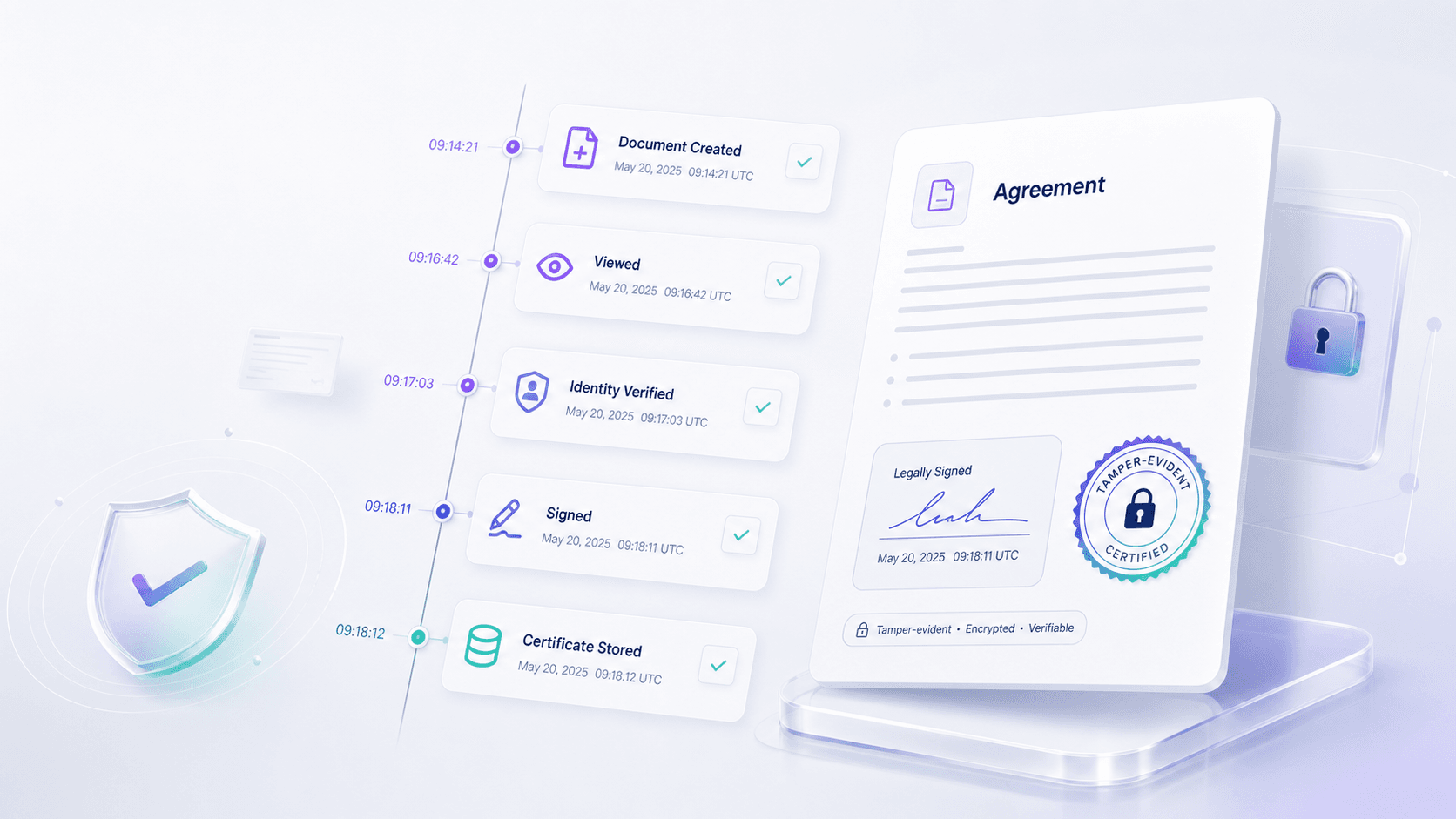
KBA is not the same thing as an electronic signature, a digital certificate, or a complete compliance program. It is one authentication method inside a larger evidence chain. That chain can include consent, signer intent, access logs, IP and device context, identity verification, document integrity, audit trail detail, and signed record retention. The NIST digital identity guidance is useful because it treats identity proofing as a structured assurance process rather than a single checkbox.
For buyers, the key distinction is simple: KBA may help answer “who signed?” but it does not by itself answer “is the whole agreement workflow governed, retrievable, and review-ready?” That broader question matters more when signing involves multiple regions, departments, templates, or counterparties.
Is DocuSign KBA a Paid Plan Feature?
For procurement purposes, assume DocuSign KBA is paid, metered, or plan-dependent until the vendor confirms otherwise in writing. Public plan pages, identity-verification packaging, and enterprise quotes can change, so the safest buyer answer is: KBA should not be budgeted as a free default capability.
Before choosing a DocuSign plan for KBA, ask the vendor to confirm five items:
- whether KBA is included in the plan you are buying or sold through an identity verification add-on;
- whether usage is charged per transaction, envelope, authentication attempt, package, or contracted volume;
- whether failed, voided, or incomplete signing sessions still consume authentication or envelope allowance;
- whether KBA is available for the signer regions and identity-data sources your workflow needs;
- whether support, API usage, reporting, audit retention, or bulk sending changes the final cost.
This framing is cautious on purpose. KBA pricing is a procurement issue, not only a feature-label issue. A plan that looks affordable for standard eSignature use can become more expensive once authentication, send volume, API access, support, and migration effort are included.
Cost Questions to Confirm Before You Choose KBA
The lowest monthly user price rarely tells the full story for identity-heavy signing. A better cost review starts with your actual workflow.
If your signing process involves APAC counterparties, the legal and operational review should also look beyond the U.S. The Hong Kong Electronic Transactions Ordinance and the U.S. E-SIGN Act text show why teams need to think about electronic records, signatures, consent, and transaction context rather than treating authentication as the whole legal answer.
Identity Verification Comparison for eSignature Buyers
DocuSign for teams already standardized on its enterprise workflow
DocuSign is often evaluated by companies that already have a global eSignature deployment, enterprise procurement motion, and internal administrators who can manage plan configuration. It can be a reasonable option when the buyer wants to stay inside an existing DocuSign environment. The main due-diligence work is to confirm the exact KBA or identity-verification package, transaction rules, regional signer fit, API plan, and renewal impact before budget approval.
Adobe Acrobat Sign for PDF-centered teams that need identity review
Adobe Acrobat Sign can fit organizations whose document process is already centered around PDF preparation, Acrobat tooling, and Microsoft or Adobe ecosystems. Buyers should still verify whether identity verification, audit evidence, signer-region support, and workflow routing meet the agreement process rather than only the PDF step.
Dropbox Sign for simple signing with limited governance needs
Dropbox Sign can be attractive for lighter workflows where the priority is simple sending, fast setup, and a familiar interface. It becomes less suitable when the buyer needs deeper identity verification, complex approval roles, regional evidence requirements, API-heavy workflows, or migration support across departments.
Where Nota Sign fits for APAC cross-border agreement workflows
Nota Sign is worth evaluating when the decision is not just “which vendor has KBA?” but “which platform helps us govern identity, audit evidence, signed records, and regional signing workflows?” For teams working across APAC and global counterparties, talking to Nota Sign about the actual workflow can be more useful than comparing one authentication label in isolation.
How to Evaluate an Alternative Without Losing Evidence
Switching away from a KBA-centered plan does not mean lowering identity assurance. It means checking whether the alternative can produce the evidence your business actually needs.
Use this migration checklist before selecting any provider:
- list the document types that require stronger signer authentication;
- separate low-risk signing from high-risk or regulated workflows;
- map sender, signer, approver, viewer, and administrator roles;
- check whether templates, approval routing, reminders, and bulk sends need to move;
- confirm audit trail fields, signed record retention, and export format;
- review signer regions, language needs, and mobile completion friction;
- confirm API, embedded signing, webhooks, and system integrations;
- ask what implementation or migration help is included.
This is where a workflow review beats a pricing-page-only comparison. The Nota Sign pricing page can support budget planning, but for KBA-related evaluation the primary next step should be a contact or demo conversation with signing volume, signer regions, authentication needs, audit expectations, and migration constraints prepared.
Final Recommendation
If your team only needs an occasional extra signer check inside an existing DocuSign deployment, confirm the KBA plan terms and stay within that governance model. If your team is re-evaluating cost, regional signer experience, audit evidence, API readiness, or APAC cross-border rollout, do not make the decision on KBA alone.
The stronger buying question is: which platform gives your team the cleanest agreement workflow, enough identity evidence, review-ready audit records, and a realistic migration path? For that evaluation, bring your signing volume, templates, signer regions, identity requirements, audit needs, and budget pressure to Nota Sign’s contact team. You can also review Nota Sign’s guide to digital signatures vs electronic signatures to separate authentication, electronic signatures, and digital signatures more clearly.
Questions and Answers
- Is DocuSign KBA authentication free?
Treat KBA as a plan-dependent or paid identity verification capability, not as a free default signing step. Confirm the exact plan, add-on, volume rules, region availability, and support scope before procurement.
- What does KBA mean in electronic signing?
KBA uses personal knowledge questions to add signer authentication before or during a transaction. It can support identity assurance, but it should be evaluated alongside audit records, consent, document retention, and regional requirements.
- Is KBA enough for every high-risk agreement?
No. KBA may be useful for some signer verification cases, but high-risk agreements often need a broader evidence package that includes signer identity, audit trail detail, signed record retention, and access controls.
- What should APAC teams check before using KBA?
APAC teams should confirm signer location, language support, identity data availability, local electronic transaction rules, data handling, audit record format, and whether counterparties can complete the authentication step without friction.
- When should a team consider Nota Sign instead?
Consider Nota Sign when the decision is less about one KBA feature and more about cross-border agreement workflows, identity evidence, audit records, migration support, and regional rollout control.
- Should pricing pages be the only decision source?
No. Pricing pages are useful starting points, but identity verification, support, API usage, templates, volume, and renewal terms often require a workflow review with the vendor.

