



June 22, 2026

Introduction
Unsigning a digital signature usually does not mean secretly removing a valid signature from a finished record. The safe path depends on the document state: cancel an unfinished signing request, decline before signing, void or revoke a workflow if the platform supports it, correct the document and reissue it, or keep the signed record and add a new amendment. Do not edit a completed signed file in a way that hides evidence or changes the record without approval.
What Unsigning Really Means
People search for unsigning when a document was sent to the wrong person, a signer clicked too early, a clause changed after completion, or a PDF appears locked after a certificate-based signature. These situations are different. A request that is still pending can often be cancelled. A completed agreement usually needs a correction process, a new version, or a separate termination or amendment record.
A digital signature is not just a visible name or image. In technical terms, a digital signature uses cryptography to bind a signer, a signed data object, and verification evidence. The NIST Digital Signature Standard explains the cryptographic foundation behind digital signatures. If the document changes after signing, the signature may become invalid or the audit record may no longer match the file.
That is why the real question is not "How do I remove the mark?" It is "What is the correct way to fix this record while preserving evidence?"
Safe Options by Document State
Use the document status before deciding what to do. The safest option is usually the one that leaves an evidence trail rather than hiding the change.
How to Handle a Signed PDF Without Tampering
Start by identifying the signature type. A visual signature image, an electronic signing event, and a certificate-based digital signature create different evidence. If the file has a certificate signature, editing the PDF can invalidate the signature even when the visible signature field remains.
Then check whether the signing request is still open. If it is open, use the platform's supported cancellation, correction, resend, or decline function. Keep the system-generated record because it shows when the workflow changed and who was notified.
If the document is already complete, save the final signed copy before doing anything else. Ask the document owner, legal approver, or business process owner which remedy applies. Common options include a corrected replacement, an addendum, a termination notice, a new envelope or signing request, or a written record explaining why the old version should not be used.
If you must create a corrected version, label it clearly. Avoid overwriting the original signed file. A clean process should show the old version, the reason for correction, the new version, the signers involved, and the date each action occurred.
Legal and Audit Evidence to Preserve
Electronic and digital signatures are usually evaluated through consent, signer identity, record integrity, attribution, and retention. The exact legal effect depends on jurisdiction, document type, and business process. For example, the EU eIDAS Regulation distinguishes electronic signature levels, while Hong Kong's Electronic Transactions Ordinance gives a legal framework for electronic records and signatures in Hong Kong.
Because the law cares about evidence, not just pixels, "removing" a signature from a completed document can create more risk than it solves. Preserve the signed record, signer authentication evidence, timestamps, IP or device evidence where available, certificate validation details, cancellation or voiding reasons, and the final replacement record.
If the document is high value, cross-border, employment-related, finance-related, or subject to a formal retention policy, treat unsigning as a records-management issue. The better question is whether the record should be voided, superseded, amended, corrected, or retained as evidence.
How Safer Workflow Options Compare
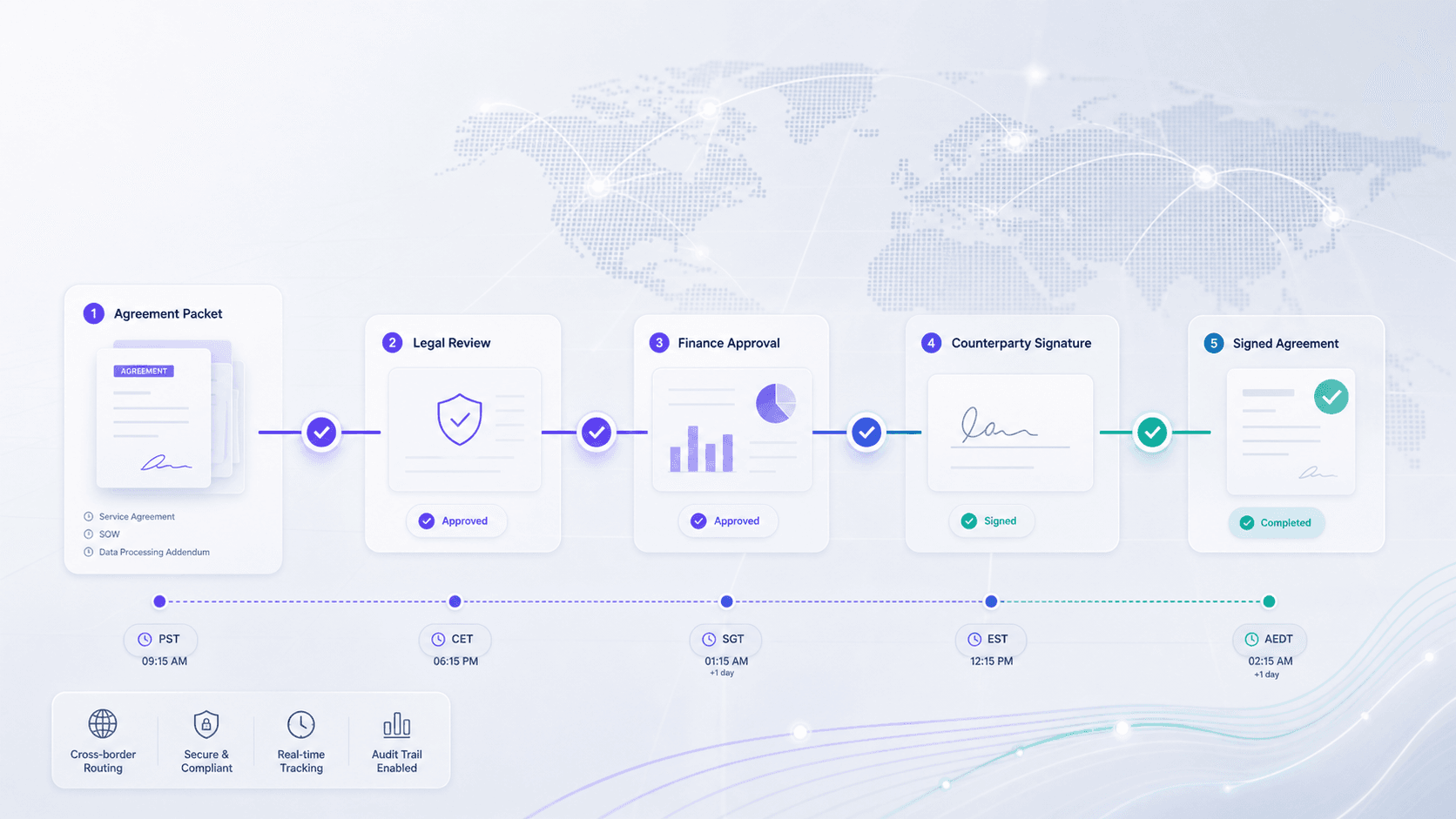
For teams handling cross-border contracts, the safer answer is not a PDF trick. It is a signing workflow that makes cancellation, correction, signer identity, audit trail, and signed-record retention easier to govern.
PDF editors for file-level fixes
PDF editors can help prepare or annotate files before signing, but they are not the right place to hide changes to a completed signed record. Use them carefully for drafts, not as a substitute for a controlled correction trail.
Standard e-signature tools for simple resend workflows
Basic signing tools may be enough when a team only needs to resend an unfinished request or collect simple approvals. Buyers should still confirm how the tool handles completed-record correction, identity evidence, audit trail export, and signed-record retention.
Where Nota Sign Fits for cross-border agreement control
Nota Sign is designed for electronic signing workflows where teams need clearer agreement control across senders, signers, approvers, and administrators. When your process involves APAC counterparties, regional teams, or documents that may need later review, the workflow should make it obvious who signed, what changed, which version is current, and which evidence must be retained.
Before replacing your current process, review the operational fit: signing volume, signer regions, identity verification needs, approval routing, audit evidence, API or integration requirements, and retention policy. You can review public plan context on Nota Sign pricing, explore related guidance in the Nota Sign blog, or contact Nota Sign for a workflow review.
Practical Checklist Before You Try to Unsign
- Confirm whether the document is draft, pending, partially signed, or complete.
- Identify whether the signature is a visual mark, electronic signature event, or certificate-based digital signature.
- Save the original signed file and audit trail before making changes.
- Use supported platform actions such as cancel, void, correct, resend, decline, or reissue.
- Get approval from the document owner or legal/process owner before changing a completed record.
- Label replacement records clearly so the current version is not confused with the original.
- Keep a reason for the correction, the date, and the people involved.
- Avoid any action that makes a signed record look as though it was never signed.
Common Questions About Unsigning
Can you unsign a digital signature?
Sometimes you can cancel or withdraw a pending signing request, but a completed signed record should not be silently "unsigned." The safer approach is to void, correct, reissue, amend, or supersede the record while preserving the original evidence.
Does removing a signature from a PDF make the document unsigned?
Not necessarily. Removing a visible field or editing a PDF can invalidate the file, damage the evidence trail, or create a misleading record. If the document was already completed, keep the signed copy and use a formal correction or replacement process.
What should I do if I signed the wrong document?
Notify the sender or document owner immediately. If the workflow is still pending, ask them to cancel or correct it. If it is complete, request a written correction path, such as a replacement document, addendum, or voided record with audit evidence retained.
Can a digital signature be removed legally?
It depends on the document, jurisdiction, signer consent, and process. The legal issue is usually whether the corrected record preserves consent, integrity, attribution, and retention evidence. For important records, get legal or compliance review before changing the file.
Is it better to void or reissue a signed document?
For completed agreements, reissuing or amending is often cleaner than trying to erase a signature. Voiding may be appropriate when the platform supports it and all parties understand the status. The right choice depends on whether the record was completed, relied on, or subject to retention rules.
How can teams prevent unsigning problems?
Use approval routing before sending, clear signer roles, recipient verification, preview checks, version controls, and audit-ready signing workflows. A controlled process reduces accidental signing and makes corrections easier to explain later.

