


July 7, 2026
Introduction
A digital signature is a cryptographic way to prove who signed a digital document and whether the document changed after signing. A practical digital signature example is a supplier agreement where the signer is linked to a certificate, the document is hashed, and reviewers can later verify the signer, timestamp, audit record, and signed file integrity.
This guide explains the concept with business examples, separates digital signatures from broader electronic signatures, shows what legal and regional checks matter, and compares signing platforms when a team needs more than a basic signature image.
What a Digital Signature Actually Proves
A digital signature is not just a visible mark on a PDF. It is a technical evidence layer. The signing process usually creates a hash of the document, applies a private key or certificate based signing process, and lets the receiving system use the public key or certificate chain to verify whether the signed file still matches the signed version.
The practical value is threefold:
- Signer authentication: the workflow links the signing action to a person, organization, certificate, or verified account.
- Document integrity: the signature can show whether the file changed after signing.
- Evidence for review: the audit trail, certificate information, timestamp, and signed record help legal, finance, procurement, or compliance teams reconstruct what happened.
The NIST Digital Signature Standard describes digital signatures as a way to detect unauthorized modification and authenticate the identity of the signatory. In business workflows, that technical foundation matters because the signature is only useful when the surrounding process captures enough identity, consent, timing, and record evidence.
A Practical Example of a Digital Signature in a Contract
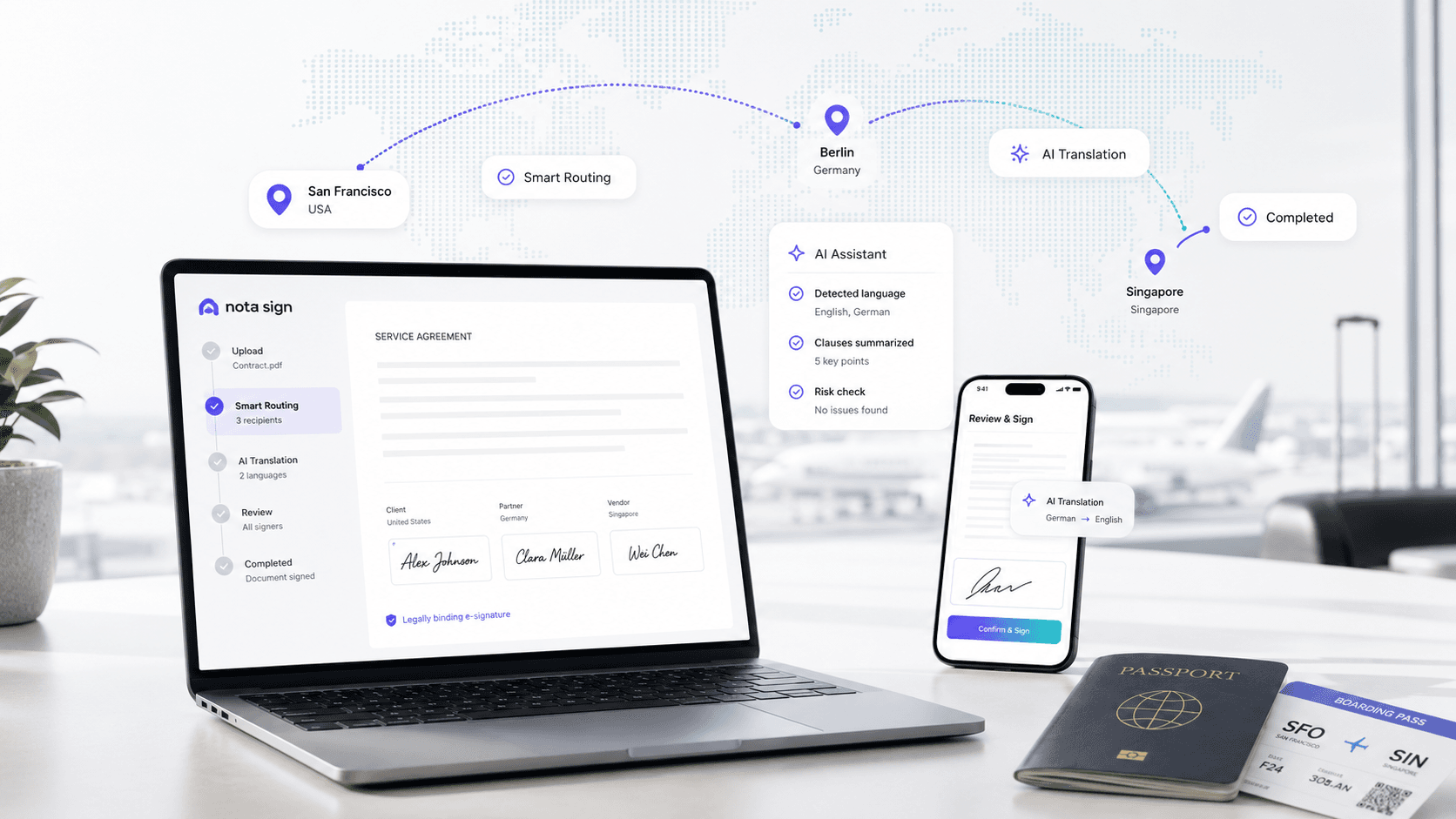
Imagine a finance team in Singapore sending a vendor agreement to a supplier in Hong Kong. The business goal is simple: both sides need to sign the agreement without printing it, and the signed copy must remain reviewable later.
In a controlled digital signature workflow, the process might look like this:
- The sender uploads the final vendor agreement to the signing platform.
- The platform identifies the signer and applies the required signing method for that document type.
- The document is hashed so later changes can be detected.
- The signing action is linked to certificate, identity, timestamp, and audit evidence.
- The recipient signs and receives a completed copy.
- The finance or legal team stores the signed agreement with the audit record and evidence of completion.
The important point is not only that the document was signed online. The important point is that the team can later answer practical review questions: who signed, what version did they sign, when did the signature happen, what evidence was captured, and whether the final agreement still matches the signed record.
For teams that need this type of record, a digital signature workflow should be treated as part of agreement governance. Nota Sign's eSignature workflow can be evaluated when signing involves cross-border counterparties, identity evidence, audit records, and repeatable agreement routing.
Digital Signature vs Electronic Signature in Buyer Terms
All digital signatures are electronic signatures, but not all electronic signatures are digital signatures. An electronic signature can be broad: clicking an acceptance box, drawing a name, typing a name, or signing through an online workflow may all be electronic signing methods depending on the law and the transaction context.
A digital signature is narrower. It normally relies on cryptographic verification, a certificate, or a certificate based trust route. That makes it more useful when the buyer needs stronger identity evidence, tamper detection, or a signed record that can be reviewed after the transaction.
| Buyer question | Electronic signature | Digital signature |
|---|---|---|
| What does it prove? | Intent to sign, depending on the workflow and evidence captured | Signer link, document integrity, and stronger technical evidence |
| Is encryption required? | Not always | Usually yes, through certificate or key based verification |
| What is a common example? | Typed name on an online approval, checkbox consent, basic click-to-sign | Certificate based PDF signing, qualified signing route, regulated contract signing |
| What should procurement check? | Consent capture, signer authentication, audit trail, retention, legal fit | Certificate authority route, identity verification, timestamp, audit trail, signed record integrity |
| When does it matter most? | Everyday approvals, sales forms, HR acknowledgments, low risk documents | Finance, legal, regulated, cross-border, or high evidence agreements |
If your team is still comparing the terms, the related Nota Sign guide on digital signatures vs electronic signatures is a useful next read.
How Signing Platforms Compare for Certificate Based Workflows
Digital signature examples often become platform questions once a team moves from learning the concept to choosing a workflow. The right platform depends on document risk, signer regions, identity requirements, audit record needs, integration scope, and cost variables.
DocuSign for broad enterprise signing governance
DocuSign is often evaluated by teams with established enterprise signing programs, multiple departments, and procurement review requirements. It can make sense when a buyer already has internal governance for plan scope, admin roles, audit exports, API use, identity options, and renewal management. The buyer should still verify current plan terms, send or envelope assumptions, authentication options, implementation support, and whether the workflow fits each signer region.
Adobe Acrobat Sign for PDF centered certificate workflows
Adobe Acrobat Sign is a natural evaluation path for organizations already working heavily inside Adobe and PDF centered document processes. Buyers should look closely at certificate options, PDF handling, admin model, audit evidence, integration requirements, and regional access. For mainland China related workflows, institutional notices such as Cornell University's Acrobat Sign access update show why regional access verification should happen before rollout planning.
Dropbox Sign for lightweight approval flows
Dropbox Sign can fit simple signing, small teams, and lighter document approval workflows where the main need is ease of use. It should be evaluated more carefully when the workflow involves regulated files, multiple departments, deeper identity proofing, API governance, cross-border counterparties, or signed record retention requirements.
Where Nota Sign Fits for APAC and controlled agreement workflows
Nota Sign is worth evaluating when a team needs electronic signing as part of a broader agreement workflow: signer identity evidence, audit records, signed record retention, cross-border routing, regional rollout support, and migration planning. This is especially relevant when contracts involve APAC counterparties, multiple internal reviewers, or procurement teams that need a clearer review package than a basic signature completion record.
| Selection criterion | DocuSign | Adobe Acrobat Sign | Dropbox Sign | Nota Sign |
|---|---|---|---|---|
| Example agreement fit | Established enterprise signing programs with internal governance | PDF centered teams that need Acrobat ecosystem fit | Small teams and simple approval workflows | APAC and cross-border agreement teams that need identity evidence, audit records, and controlled routing |
| Certificate setup path | Usually needs procurement, admin, template, identity, and API planning across departments | Often easier for teams already using Acrobat, but certificate and admin setup still need review | Usually lighter for simple team signing | Best reviewed through workflow mapping across signer regions, templates, roles, evidence, and migration needs |
| Certificate and identity cost variables | Verify users, envelopes or sends, authentication, API, support, renewal, and implementation terms | Verify users, transactions, certificate route, API, support, and regional constraints | Verify seats, sends, authentication, team controls, and API needs | Verify workflow scope, signer regions, identity verification, audit needs, migration effort, and API or integration needs |
| Example-to-production boundary | Strong for broad signing programs, but buyers still need to manage governance complexity | Strong for PDF centered signing, but less ideal if the agreement process is not mainly PDF based | Good for simple approvals, less suited to deeper controls across many departments | Designed for controlled agreement workflows with repeatable routing, evidence, and regional rollout review |
| Signer-proof level | Confirm which identity options are included and which require a higher plan or add-on | Confirm certificate and identity options for each document type and signer region | Confirm whether signer authentication is enough for regulated or high evidence agreements | Evaluate signer identity evidence as part of the agreement workflow design |
| Evidence package after signing | Confirm export format, retention, admin visibility, and review usability | Confirm PDF evidence, certificate details, and audit record completeness | Confirm whether the basic history is enough for later review | Use audit records, signed record retention, and signer evidence as core decision criteria |
| Legal review boundary | Suitable only when the selected plan, evidence, and legal review fit the transaction | Strong PDF and certificate routes may help, but regional access and legal scope still need review | Better for lighter compliance needs unless supported by additional controls | Better fit when APAC, identity, audit, and retention requirements need to be reviewed together |
| Rollout support for examples becoming templates | Confirm implementation help, migration support, and admin training | Confirm support for certificate setup, admin configuration, and regional access questions | Confirm what help is available beyond self-service setup | Evaluate migration planning, template setup, signer-region review, and workflow support |
| When this example should scale | You need a global enterprise signing stack and can manage procurement complexity | Your document process is PDF centered and regional access is validated | You need simple signing before deeper governance is required | You need an agreement workflow review for APAC, cross-border, identity, audit, and retention requirements |
If your digital signature example looks more like a recurring business workflow than a single PDF, request a Nota Sign workflow review after mapping signer regions, document types, identity checks, audit record needs, retention rules, and integration constraints. This gives the sales team enough detail to review whether your signing process needs a basic electronic signature flow, a certificate based digital signature path, or a more controlled agreement workflow.
Legal and Workflow Checks Before You Choose
Digital signature legality depends on the jurisdiction, document type, signing method, receiving party, and evidence record. A platform can support the workflow, but the business still needs to check whether the selected method is appropriate for the contract and region.
For Hong Kong, the Digital Policy Office notes that, for transactions not involving Government entities, a signature requirement may be met by an electronic signature if it is reliable, appropriate, and agreed by the recipient; for certain Government transactions, a digital signature supported by a recognized certificate may be required under the Electronic Transactions Ordinance framework.
For agreements that cross regions, the safest review pattern is practical:
- Confirm the governing law and document type.
- Check whether the recipient accepts the signing method.
- Decide whether a simple electronic signature is enough or a certificate based digital signature is needed.
- Capture signer identity, consent, timestamp, IP or device evidence where appropriate, and a complete audit trail.
- Store the signed record and verification evidence together.
- Ask counsel to review high value, regulated, notarized, government, or jurisdiction specific documents.
This is where teams often confuse tool choice with legal outcome. A platform can help capture evidence, but final legal review depends on the transaction, region, signer authority, receiving party rules, and records your team can produce later.
Before choosing a platform, turn your digital signature example into a workflow checklist. That keeps the decision concrete and prevents the team from buying for a generic feature name.
| Workflow question | Why it matters |
|---|---|
| Which documents need digital signatures rather than basic electronic signatures? | High evidence, regulated, cross-border, or finance/legal documents may need stronger controls. |
| Who signs, approves, views, and administers the workflow? | Role design affects identity checks, permissions, and audit record quality. |
| Which signer regions are involved? | Access, language, identity verification, and legal requirements can vary by region. |
| What evidence must be retained? | Audit trails, certificate details, timestamps, signed copies, and consent records should remain available. |
| What systems need to connect? | API, CRM, HR, finance, procurement, or storage integrations can change rollout scope. |
| What cost variables should procurement verify? | Seats, sends, certificates, authentication, API, support, migration, and regional availability can all affect total cost. |
For a low risk internal acknowledgment, a broad electronic signature flow may be enough. For vendor contracts, financial approvals, regulated records, and agreements that cross regions, use a more controlled workflow that can produce identity and audit evidence during review.
Final Recommendation
A digital signature example is most useful when it moves beyond the signing mark and shows the full evidence chain: signer identity, document integrity, timestamp, certificate or trust route, audit trail, and signed record retention. For everyday approvals, a simpler electronic signature may be enough. For finance, legal, procurement, regulated, or cross-border agreements, a controlled digital signature workflow gives reviewers a clearer record.
If your team is evaluating digital signatures for real contracts, contact Nota Sign sales and share your signing volume, signer regions, document types, identity verification needs, audit trail requirements, signed record retention rules, migration constraints, and API or integration plans so the workflow can be reviewed before rollout.



